
Never stuck for something to say.
Howdy Mate! opens the chat you already use, with a hello written from what you know about them. Change any word, hit send, and it logs itself.

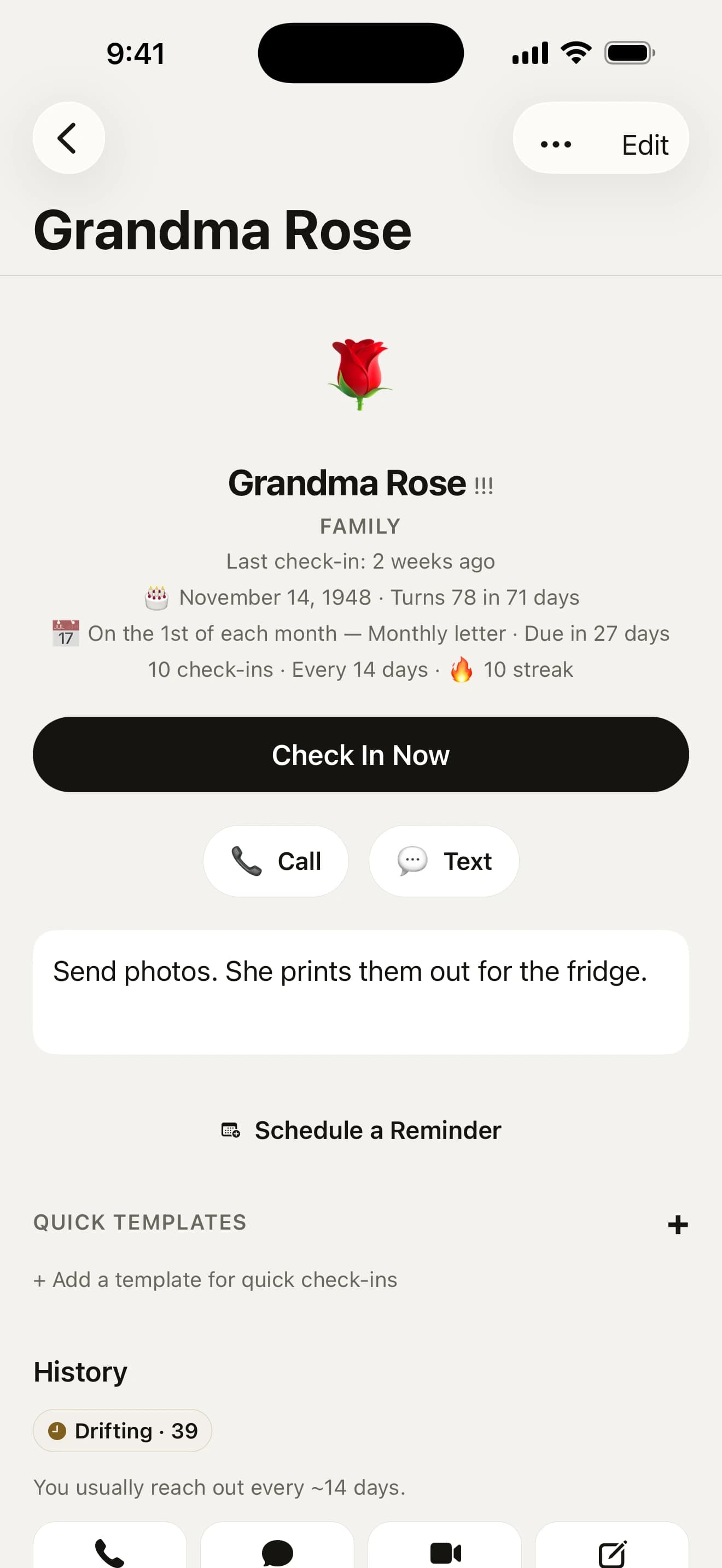
At a glance
- DraftAn opener from their interests and your last note.
- Any chat appMessages, WhatsApp, Signal and five more.
- PostcardsTwenty hand-drawn cards, no app needed to open one.
- Whose turn?Keeps track of who owes who a reply.
What should I text a friend I haven’t talked to?
Tap Draft on their page. It writes an opener from their interests and your last note, and when it’s been months it owns the gap instead of pretending you spoke last week. On iPhones with Apple Intelligence it’s written on the phone itself.
- It’s been way too long!
- Saw this and thought of you
- Still up for that ramen place?
See a few openers, change any word, then send it. Chips across the top change what it’s for: a hello, a thank-you, an honest “how are you really going?” or a note about your year together.
Rather say it your way?
Change a line and tap Keep, and it’s one of yours. Draft turns their first name into a gap so it fits any mate, then offers your lines first, taking turns. Keep up to twelve.
Every draft opens with what you call them, so “Aunt Carol” stays Aunt Carol and a Contacts nickname comes across on its own.
On the app they actually use

A mate’s page leads with how you usually reach them, so the friend you always call opens on Call. Pick their app under “Texts on”:
- Messages, WhatsApp, Signal or Telegram, by phone number
- Instagram, Messenger, LINE or Snapchat, by username
- email, for the mates you write to
Pick a language under “Write to them in” and their drafts and wishes come out in it, from Français to हिन्दी, while the app stays in yours.
Say it with a postcard

Twenty hand-drawn postcards, from “coffee soon?” and “miss your face” to get well, welcome home and three for the holidays. Swipe to the one that fits and keep or change the line that comes with it.
They get an ordinary picture in Messages, no app needed, and the check-in is logged once it’s sent, never when you cancel.
Whose turn is it to reply?

Got a message you mean to answer? Press and hold them and tap “They messaged me”. Their row reads “Your turn to reply”, and one reminder that evening has an I replied button.
Sent a text and heard nothing? Tap “Waiting on a reply?”. If three days pass in silence, one nudge suggests a call. Log any catch-up with them and it settles itself.
Got a few minutes?
Choose it from ⋯ on Today and say how long you have: 2, 10 or 30 minutes. You get three mates worth reaching right now, so a quick text goes to the mate you always text and a half-hour call to the one you always ring.
Nobody in another time zone is suggested in the middle of their night.
Something to ask when you catch up

Getting someone on the phone is half of it. A mate’s page carries a question to bring along, and tapping it opens three more, light, catching up or deeper. Like one? Save it for next time.
- What made you smile this week?
- What’s something you’ve changed your mind about lately?
For the bigger moments

- Introduce two mates with one group text, already written (“Ana, meet Dan! You’re both in Berlin…”)
- Tell people your news, a move, a new job or a baby, one personal text at a time, never a group thread
- Say thanks when Today asks “Who’s been good to you lately?”
- Let them know they’re on your list, with a warm hello and a link to the app
A brief before you see them
Your questions, answered
I never know what to say. Can it help?
Yes. Tap Draft on a mate’s page and a sheet opens with an opener written from their interests and your last note (on iPhones with Apple Intelligence, written on the phone itself). Tap Another opener for a different one and change any word. Chips across the top change what it’s for: Hello, Thanks, Really going? and Our year. Send opens their usual chat with it typed in, and the catch-up logs itself when you come back.
Can I write my own messages?
Yes. On the Draft sheet, write or change a line the way you would say it and tap Keep. It becomes one of your openers (up to twelve), with that mate’s first name turned into a gap so it fits anyone. Draft and the Text button on a nudge then offer yours first, taking turns so the same line doesn’t go out every time.
Which apps can I message mates on?
Messages, WhatsApp, Signal, Telegram, Instagram, Messenger, LINE and Snapchat. Edit a mate and pick one under “Texts on”, and their Text and Draft buttons open that app instead of Messages. WhatsApp, Signal and Telegram find people by number, so save it with its country code. Instagram, Messenger, LINE and Snapchat need a username. WhatsApp opens with the drafted hello typed; for the others Draft copies it for you to paste.
Can I email a mate from Howdy Mate!?
Yes. Edit a mate and add their email address, and Email joins the More button on their page, or leads it if email is how you usually keep up. For a mate with no number saved, the Draft sheet sends your message as a new email. Come back to the app afterwards and it’s logged as a check-in, with Undo if you didn’t send it.
Can drafts be in a different language from the app?
Yes. Edit a mate and pick a language under “Write to them in”. The Draft sheet’s lines, their birthday and name-day wishes, a postcard’s line and the “Let them know” hello then come out in that language, while the app itself stays in yours. Openers you saved yourself are left as you wrote them.
Can it use a nickname?
Yes. Drafted texts and prompts open with what you call someone, not just the first word of their name: “Aunt Carol” stays Aunt Carol and “Dr Priya Shah” is Dr Priya. To use something else, edit a mate and fill in “What you call them”. Mates you bring in from Contacts start with the nickname from their card.
Can I send a mate a postcard?
Yes. Tap More on a mate’s page, then Send a postcard, and pick one of twenty hand-drawn cards, from coffee soon? and miss you to get well and three for the holidays. Keep or change the line that comes with it. Send opens Messages with the card attached (several mates make one group thread), or the share sheet for other apps. The cards have no words on them, your mate needs nothing installed, and it’s logged once it’s sent.
Can I save a link for a mate, or something to do with them next time?
Yes. Every mate’s page has a “For next time” list for links to send and ideas to do together. Tap Draft and the message starts with it (“Saw this and thought of you”), and a link you send comes off the list by itself. You can also tap Share in Safari, Photos or any app, choose Howdy Mate! and pick the mate (iOS 17 or later). It all stays on your phone.
Can it keep track of whose turn it is to reply?
Yes, with one line and at most one reminder. Got a message you mean to answer? Press and hold the mate and tap “They messaged me”: their row reads “Your turn to reply” and one reminder that evening has an I replied button. Sent a text and heard nothing? Tap “Waiting on a reply?” and if three days pass, one nudge suggests a call. Logging any catch-up with them settles it.
Can it suggest questions to ask a friend?
Yes. A mate’s page carries a question to bring to your next catch-up; tap it for three more, from a light, a catching-up or a deeper set, and shuffle any you don’t fancy. Save one for next time and it joins that mate’s things to remember, so it shows when you log the catch-up or draft a message.
I’ve only got a few minutes. Who should I get in touch with?
Tap ⋯ at the top of Today, choose “Got a few minutes?” and pick 2, 10 or 30 minutes. Howdy Mate! suggests three mates worth reaching right now, leaning toward how you usually reach each one, so a quick text goes to the mate you always text. Nobody in another time zone is suggested in the middle of their night. Each one is a tap from the call or chat, and it’s logged when you come back.
Can I message a whole group?
Yes. On the Mates tab, filter to a group and tap Message everyone. A Messages sheet opens with one group text to everyone in it who has a number saved, with a hello already typed, and sending it logs a text with each of them. To text a handful of mates who aren’t a group, tap the search bar on Mates, tap Select, tick 2 to 20 and tap Message.
Can I introduce two friends?
Yes. Open a mate’s ••• menu and tap “Introduce to someone…”. Mates who live in the same city or share an interest come first. You get one group text to both, already written, to edit and send. Once it’s sent it counts as a catch-up with each of them, and about two weeks later the next message drafted for either one asks whether they ever met up.
Does it ever suggest thanking someone?
Once in a while. When a mate has been around a lot lately, Today may ask “Who’s been good to you lately?” and name them. Write a thank-you opens Draft on Thanks, with a short message from your last catch-up, and it counts as a catch-up. It shows at most once a month, and nobody is suggested twice in a year. To thank anyone else, tap Draft on their page and pick Thanks.
Can I send a mate a note about our year?
Yes. Tap Draft on a mate’s page and pick Our year (it appears once you’ve caught up with them twice this year). It writes a short note from what you logged, like how many times you caught up and your favourite moment, with a hand-drawn December postcard. Change anything and send it. Through December, Today offers your five most-seen mates one at a time.



Go on, say howdy.
Free on the App Store for iPhone. No account, no subscription, no catch.
On a computer? Point your iPhone’s camera here.