
How it works
Five minutes to set up.
Then it keeps count.
Howdy Mate! does one thing: it remembers how long it’s been since you caught up with each of your people, and tells you, kindly, when it’s time to reach out.
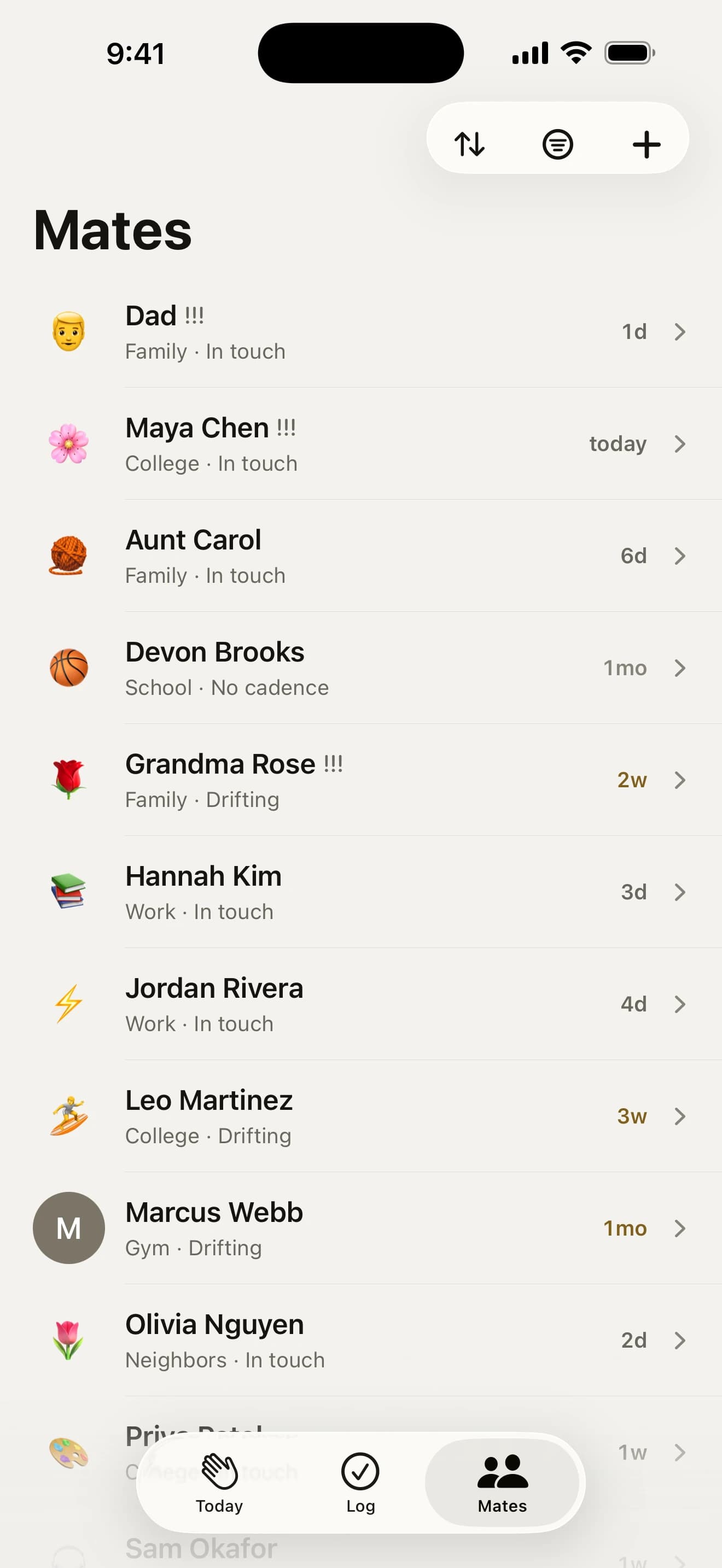
Add your people
Start with the handful you’d hate to lose touch with. Type a name, or tap “Find people in my contacts” to bring in names, birthdays and photos. It’s the only moment the app asks for Contacts, and nothing ever leaves your phone.
- paste a list from Notes, a spreadsheet or another app
- brought in 25 or more? Sort them by how close you are, a swipe each, right then
- put them in groups: family, school, work, the footy team
- just met someone? Save them on the spot with “Just met someone?”

Give each one a rhythm
How often would you like to catch up? Every week for Mum, every couple of weeks for your best mate, every three months for the uni crew. Set one rhythm for everyone you add, then tweak anyone who needs it.
- custom schedules and rituals, like the first Thursday at the pub
- say when you last caught up, so the first nudge lands when it should
- not sure? Start generous, or read our rule of thumb

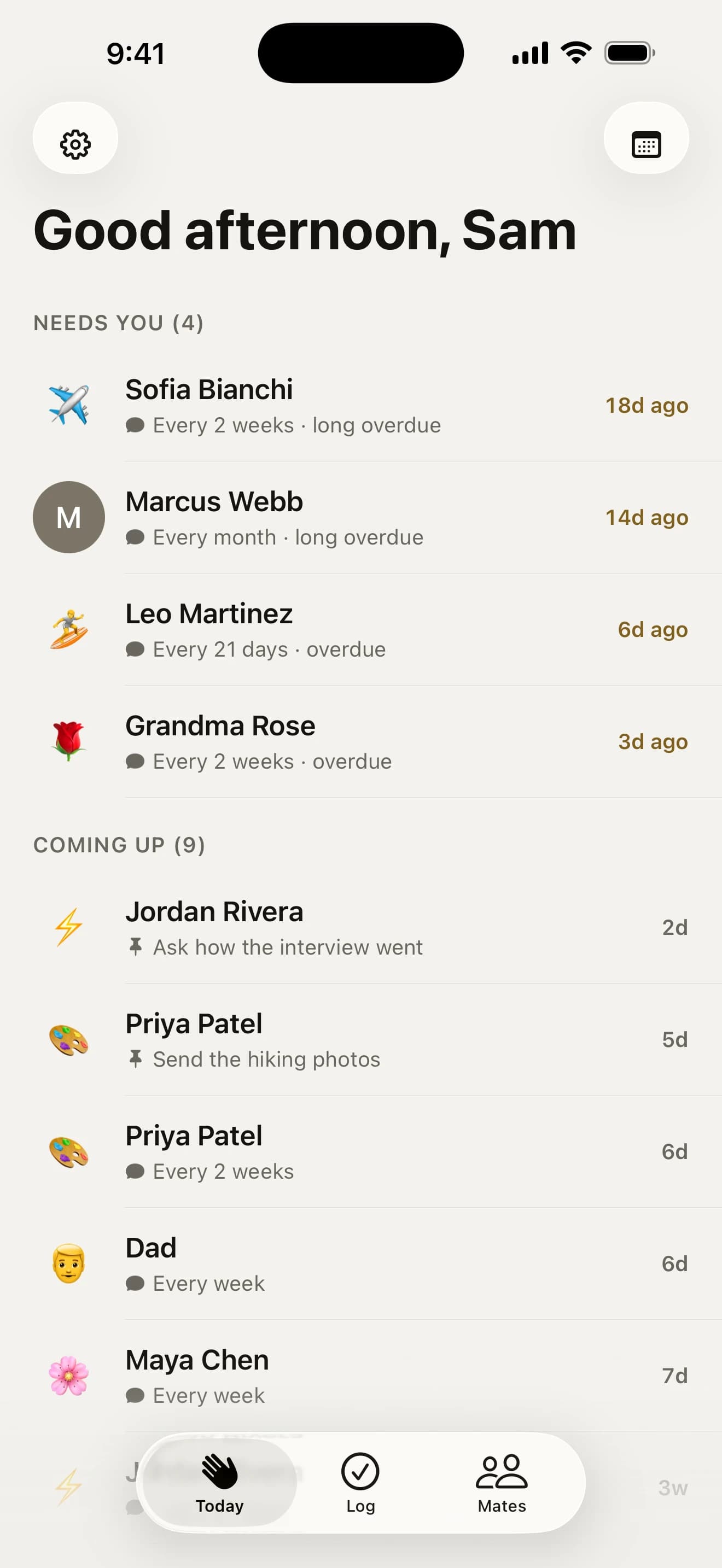
Get a gentle nudge
Howdy Mate! keeps count from your last catch-up. When someone’s rhythm comes round they move to “Needs you” on Today, and you get one kind reminder with a Text button that starts the hello for you.
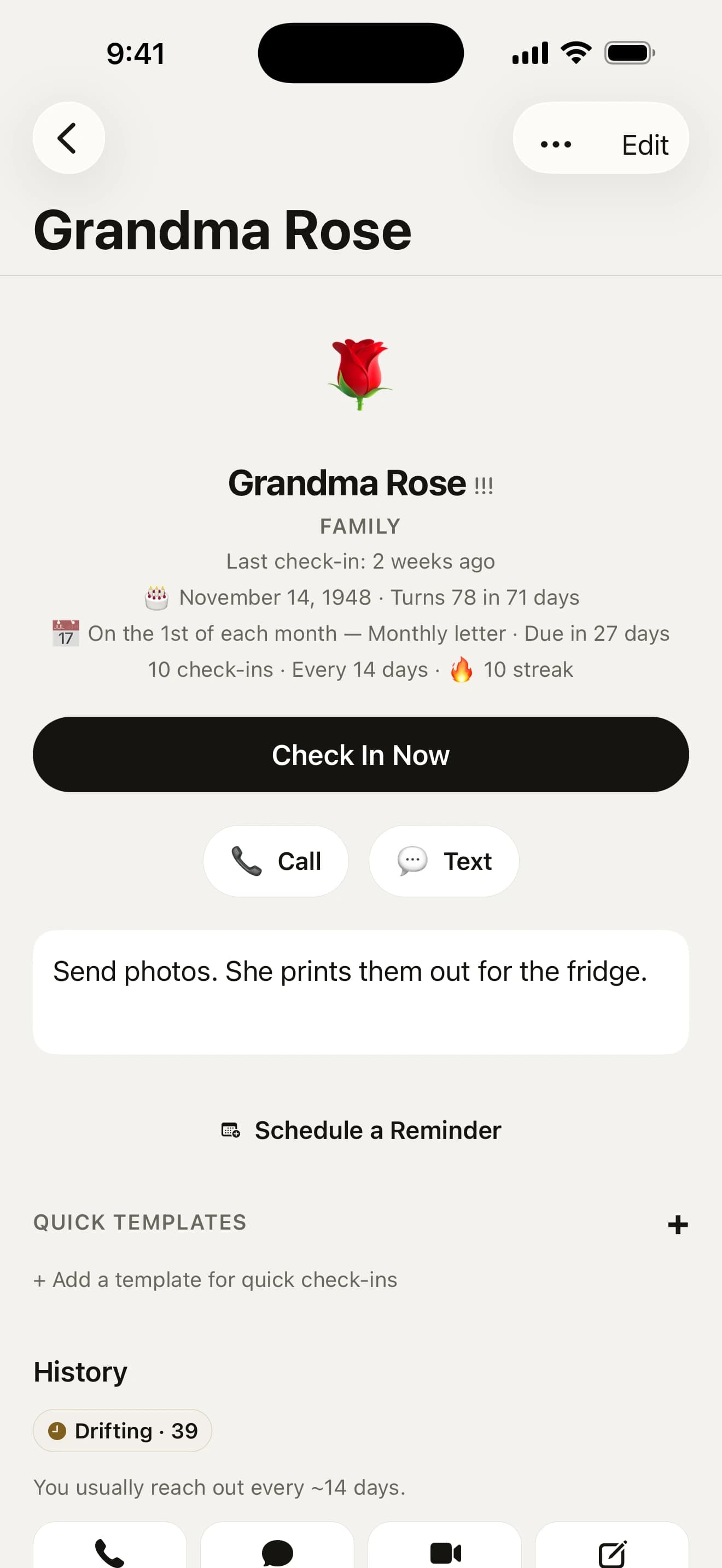
- friendships read “In touch”, “Drifting” or “Been a while”, never “overdue”
- pick the time, the days and the voice: Gentle, Mate or Straight
- snooze anyone, or take a break from every nudge

Reach out, then log it
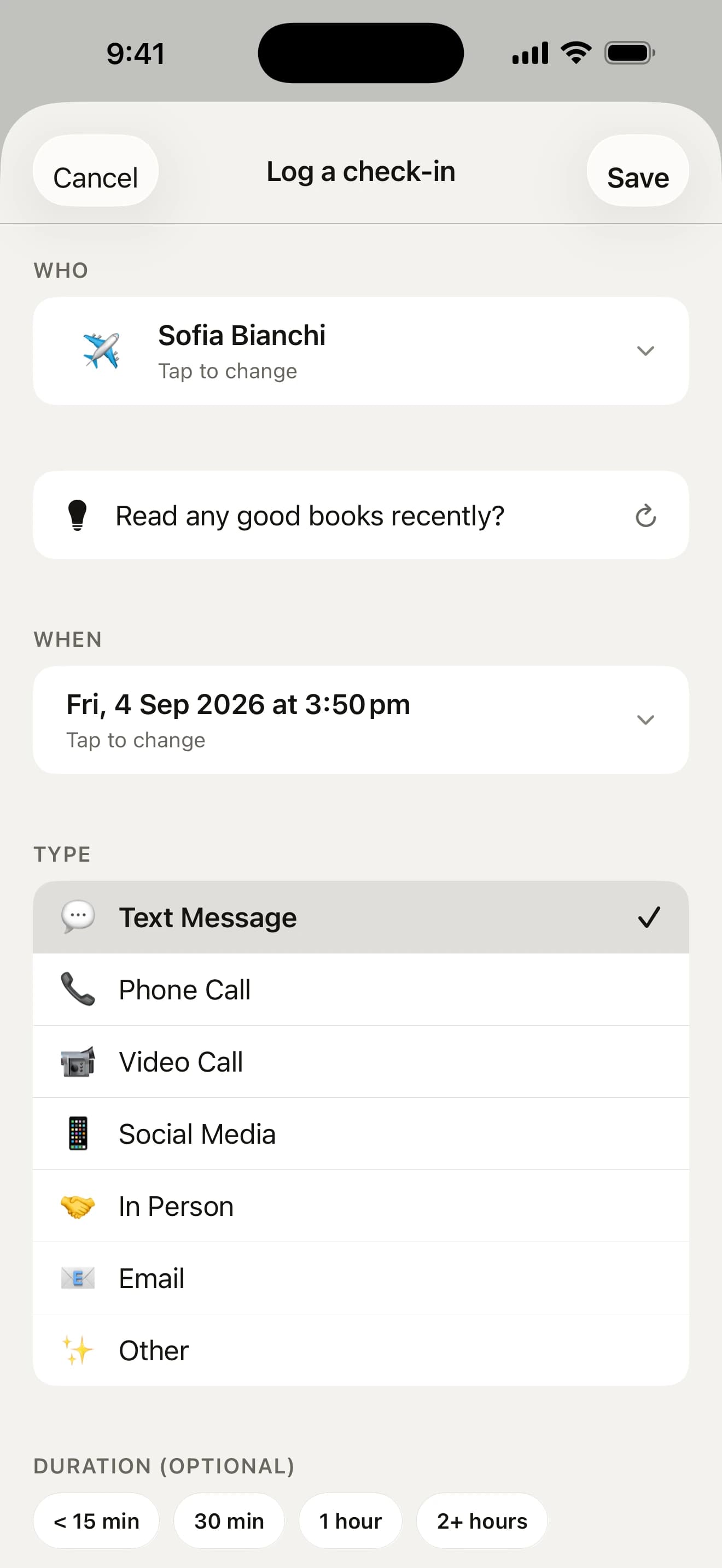
Send the text, make the call, grab the coffee, however you actually keep in touch. Then tap Check In Now on their page and hit Save, or swipe their row on Today. The count resets and they drop off the list until they’re due again.
- call or text from the app and it logs itself when you come back
- stuck for words? Draft writes an opener from your last note
- forgot to log? A weekly look-back asks who you saw

Look back now and then
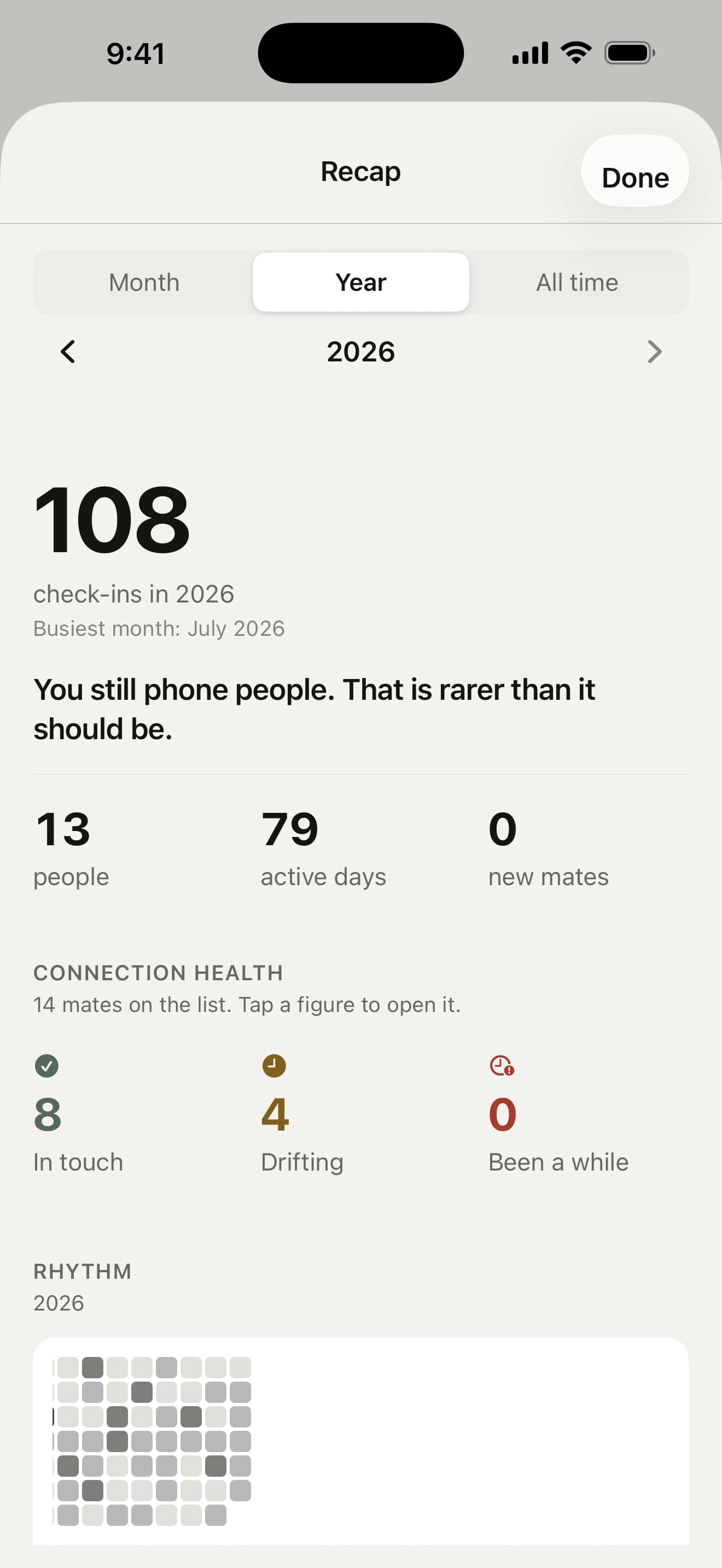
The Log keeps every catch-up and note. Recap shows your month, year or all time: who you kept close, who’s gone quiet and about how many hours you spent together.
- a note on the 1st sums up the month just gone
- every December, your year in mates as a story you can share
- each new year, pick up to three mates to see more of

For example
What a week might look like
- Mon
Sofia’s two-week rhythm comes round. A nudge on the way to work; you send her a photo of your old café.
- Tue
Nothing due. Howdy Mate! stays quiet.
- Wed
The first of the month: time for Grandma’s letter. You write it on the train.
- Thu
First Thursday: pub with the uni crew. The reminder knows it’s a ritual, not a chore. Forget to log it and Friday’s nudge asks if it happened: one tap on Yes.
- Fri
Leo’s birthday. The gift idea you noted came up a week ago, so the present’s already wrapped.
- Sat
Coffee with Priya and Maya. One check-in, both mates logged.
- Sun
A glance at the Log over breakfast. In the evening, three mates and a day each for the week ahead.
Questions about how it works
How does Howdy Mate! know who’s due?
You give each mate a rhythm, from every week to once a year or a custom schedule. Once that long has passed since your last catch-up, they move under “Needs you” on the Today screen and you get a gentle nudge. Until you log a first catch-up, the count starts from when you added them, or from your answer to “When did you two last catch up?” on their page.
What do “In touch”, “Drifting” and “Been a while” mean?
A mate is “In touch” until their rhythm comes round, “Drifting” for up to three rhythms after that, and “Been a while” beyond it. With eight or more mates, chips at the top of the Mates tab count how many are in each, and tapping one shows just them. We never call a friend overdue, because a friendship isn’t a bill.
Where do I start once my mates are in?
With three of them. For your first week, the top of Today sets one small goal: get three mates in and catch up with each. Each one you log fills a slot with their face, and while you have fewer than three, the empty slots add someone instead. Still under three on day three? One notification asks who else you want to keep close, and it never comes again. After that, Today offers a week goal of your own, 1, 2 or 3 mates a week, and counts how many weeks running you’ve made it. Change it or turn it off from the dots on the card, or under Week goal in Settings.
What counts as a check-in?
Any kind of catch-up: a text, a call, a video call, social media, seeing each other in person, an email or anything else. Tap a mate on Today and their page opens, with ways to call or text them; tap Check In Now there and a half-height sheet opens on the kind you usually have with them, so logging is often one more tap. Swipe a mate right on Today or Mates to log it on the spot, and a call or text you start from the app is logged when you come back.
Will it nag me?
No. You get a gentle reminder when someone is due, and the wording is kind on purpose. Snooze anyone, take a break from every nudge until a day you choose, or keep nudges quiet at work with a Focus filter. Snooze someone three times in a row and it offers a slower rhythm. The app asks for a rating at most once every four months, never before your third check-in and never while you are logging.
What if I forget to log?
Most people do, so once a week Howdy Mate! asks instead. The weekly look-back (Sunday at 6 pm unless you pick another time) lists up to eight mates you were likely to see, from your plans, your calendar and who was due. Tap yes or no for each, pick the day, and log them all in one go. After three weeks without an answer it stops asking.
What if I fall behind?
Nothing bad happens. If you come back after a couple of weeks away with a pile of mates waiting, Today offers to spread them over the next two weeks, keeping the ones who need you most on today. After a shorter break, a line at the top of Today says who came due since you last looked. Each January a quick review also suggests rhythms that better fit how often you really catch up.
Go on, say howdy.
Free on the App Store for iPhone. No account, no subscription, no catch.
On a computer? Point your iPhone’s camera here.