



How to stay in touch with friends when life gets busy
How to stay in touch with friends when life is busy: pick your people, give each a rhythm, keep contact small and know what to say after a long gap.
Free for iPhone · No account needed
Life gets busy and friendships drift — not because you stopped caring, but because nothing reminded you. Howdy Mate! is the gentle nudge.
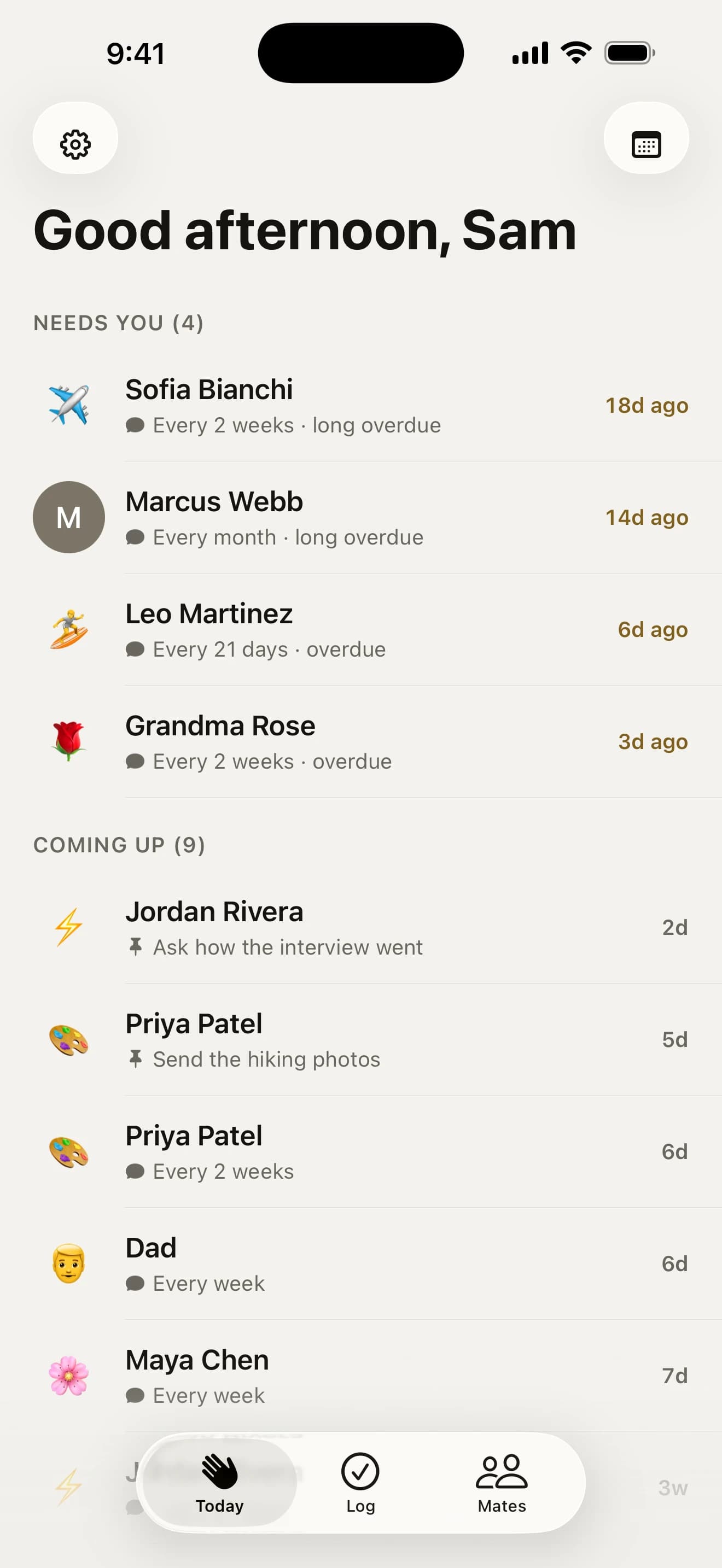
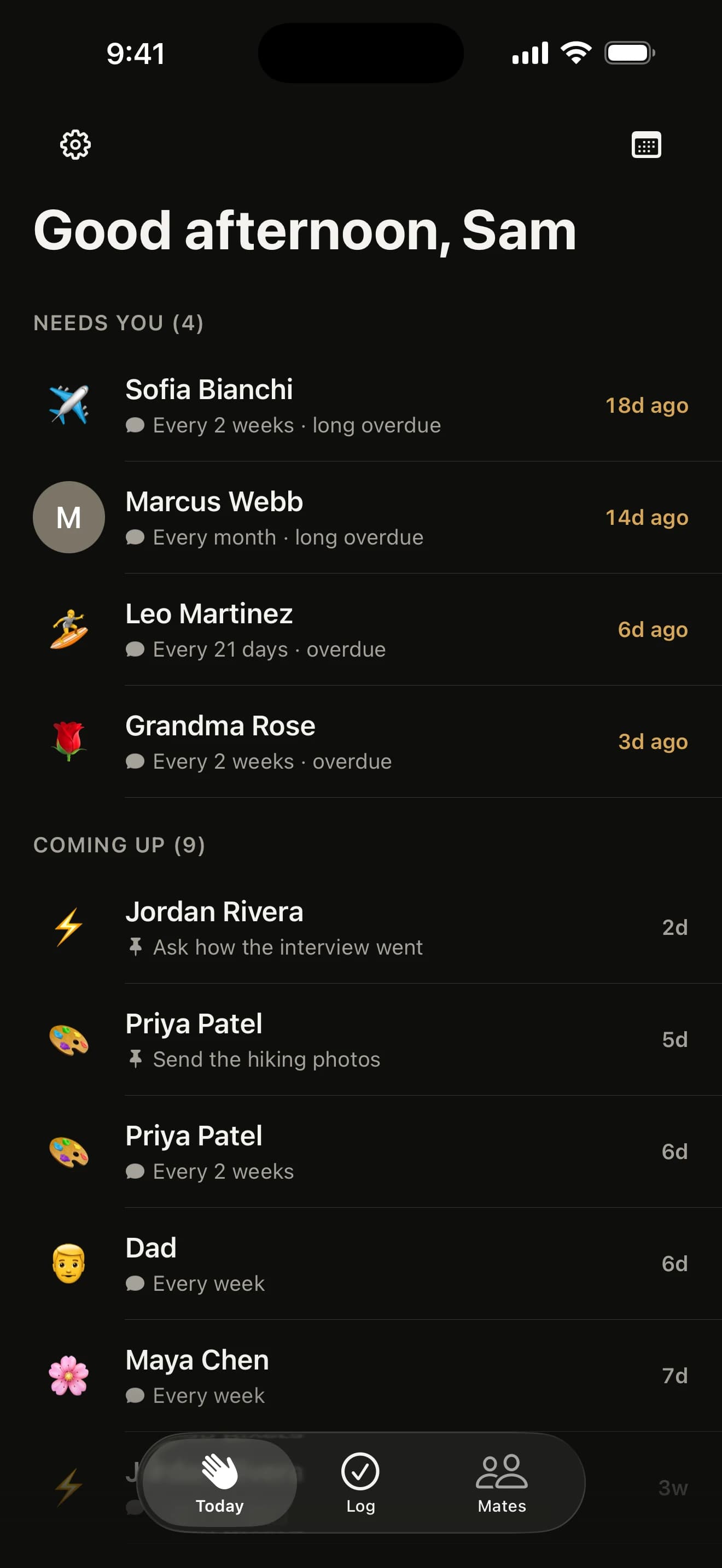
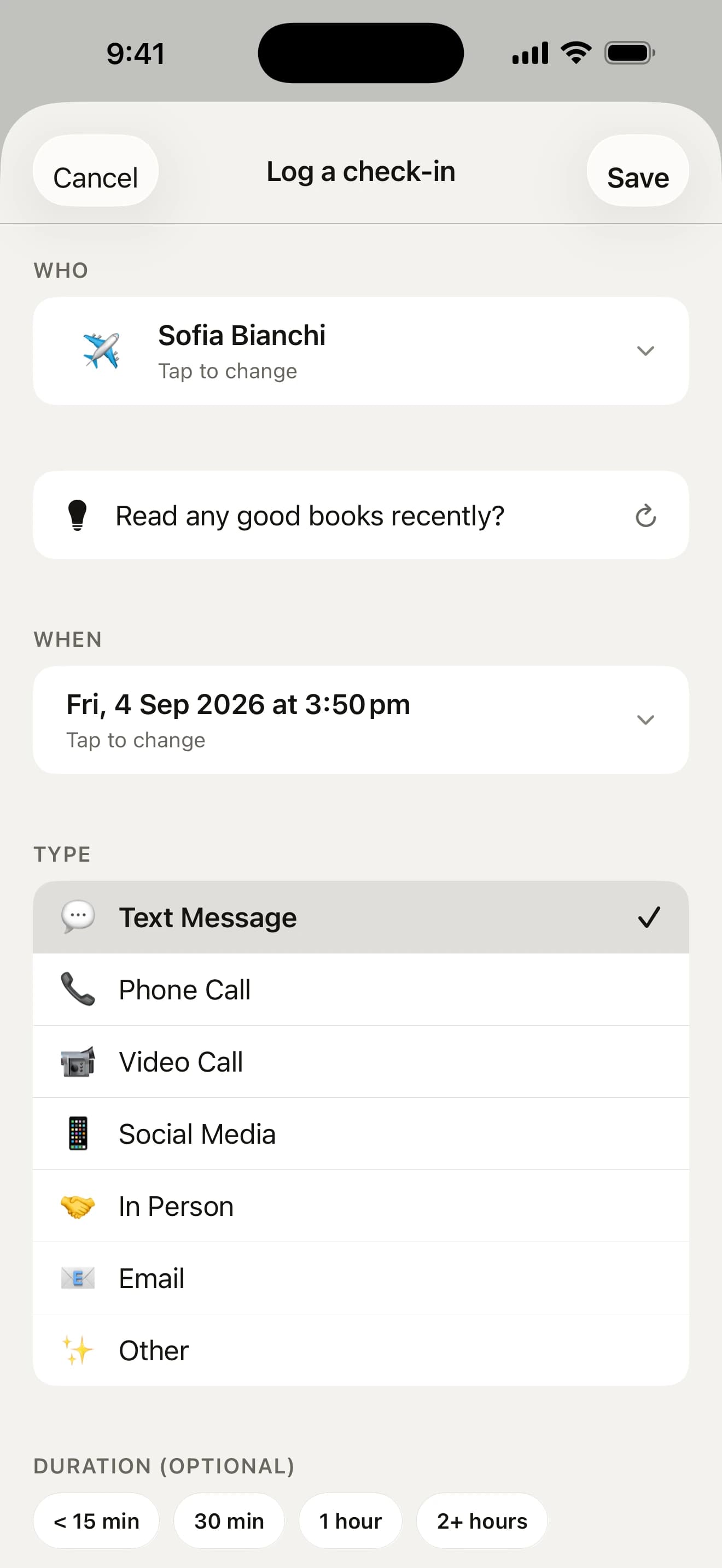
Log any kind of catch-up: a call, a coffee, a text, a walk, a letter or a birthday.
The quiet problem
Friendships rarely end with a fight. They drift — one missed call, one “we should catch up soon” at a time. Nobody decides to lose touch. Life just gets busy.

Try it
Tell Howdy Mate! how often you’d like to catch up with someone. It keeps count, and lets you know — gently — when it’s time. Have a play:
Drifting
They’re due. They move up to “Needs you” and you get a gentle nudge.

How it works
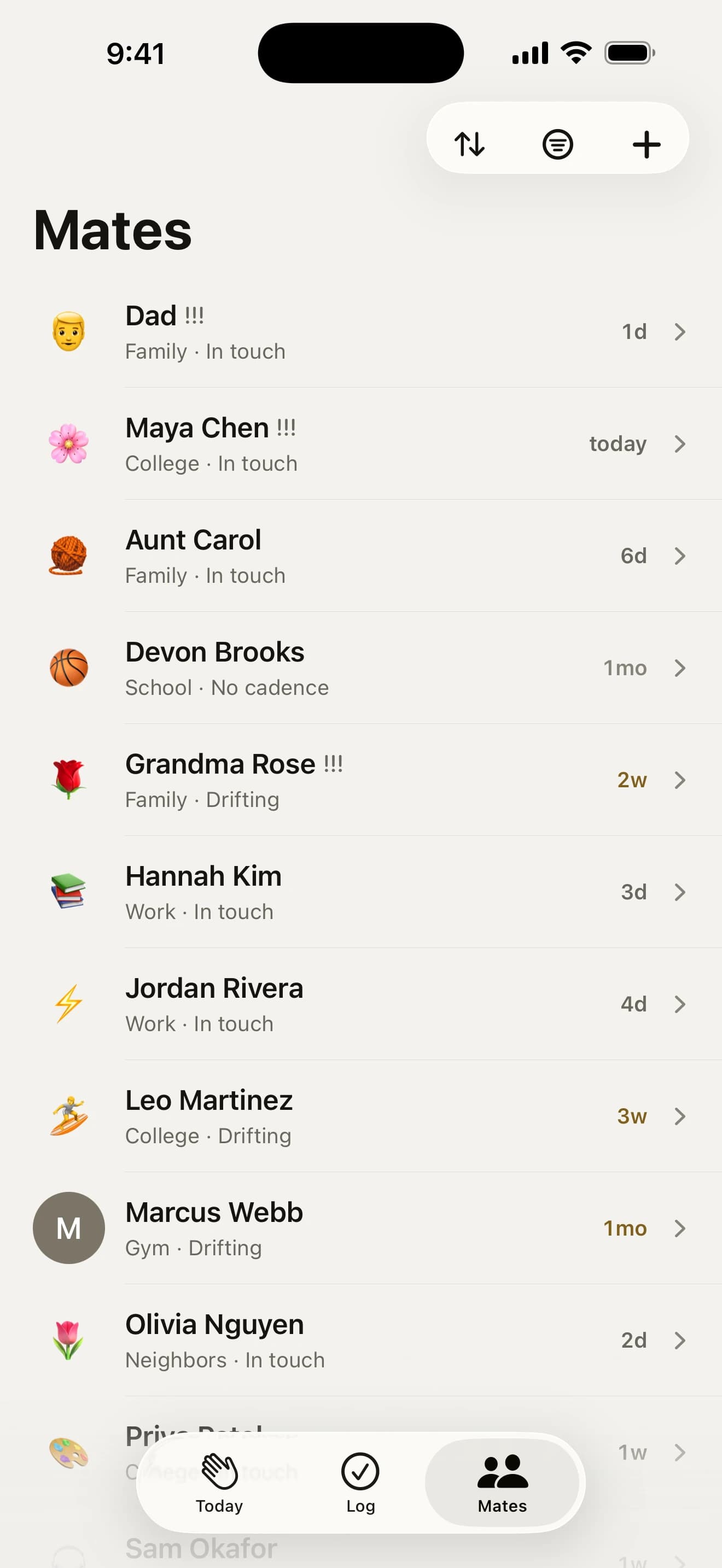

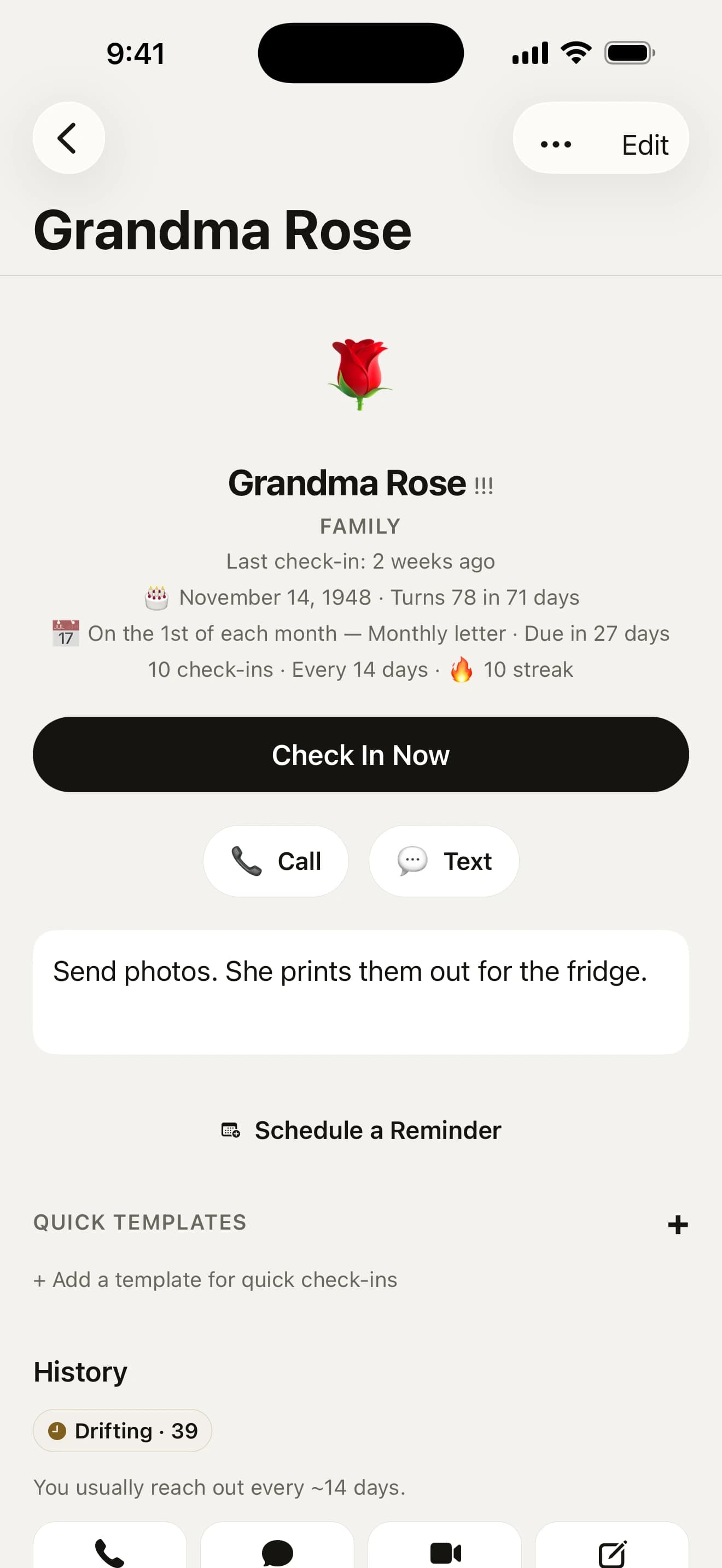




The little things

Birthdays and anniversaries come in with your contacts, and the birthdays you keep in Google or Outlook Calendar too, with a reminder the day before and on the day, and the text you wrote weeks ago already typed, and a belated wish ready to send if one slips past. A partner’s or kids’ names come along to remember. Missing one? Ask them in a tap. Add the day you met and its big anniversaries get a nudge and a card of their own. Anniversaries and other big dates remind you when you choose, and say how many years it’s been. Name days in Poland, Czechia, Slovakia, Hungary, France and Italy get a reminder too. The gift ideas you jotted down turn up a week before. Want them in Apple Calendar too? One switch adds them.
Birthdays and dates →When someone’s due, you hear about it, kindly, with their face, what you did last time and a Text button that starts the hello for you. Pick a voice for it (Gentle, Mate or Straight) and the days it can come, or ask for just one mate a day. We never call a friend “overdue”.
More on reminders →
Stuck for an opener? Draft writes one from their interests and your last note (“just back from Portugal”), owns a long gap rather than skating past it, and is written on the phone itself where Apple Intelligence is on. Shuffle for another, change any word, keep the lines you like as your own. A thank-you, an honest “how are you really going?” or a note about your year together are a tap away on the same sheet. Or say it with a picture: send one of twenty hand-drawn postcards.
More on reaching out →
Text, call, video, social, in person, email. Got a few minutes? Today suggests who to reach right now. Call or text from the app and it logs itself, a catch-up in your calendar asks to be logged, or speak a recap and it becomes the note.
More on check-ins →
Ask Siri who’s due, pin a mate to your Home Screen, see who’s next on your Lock Screen, log a catch-up from a reminder, a widget, Control Center or the Action button without opening the app, or press and hold the icon to text whoever is due.
Siri and Shortcuts →
Turn “we should catch up” into dinner on Friday, text a mate the evenings you’re free, give three mates a day each this week, or tell it where you’re travelling (or who’s coming to stay) and see who to catch. Share a plan with them or add it to Calendar, and the next day it asks whether it happened.
More on plans →
Kids’ names, an allergy, the city they moved to and what time it is there. Kept on their page for next time.

A loss, a new baby, a move. Tell the app and it lines up a few gentle check-ins over the weeks after.
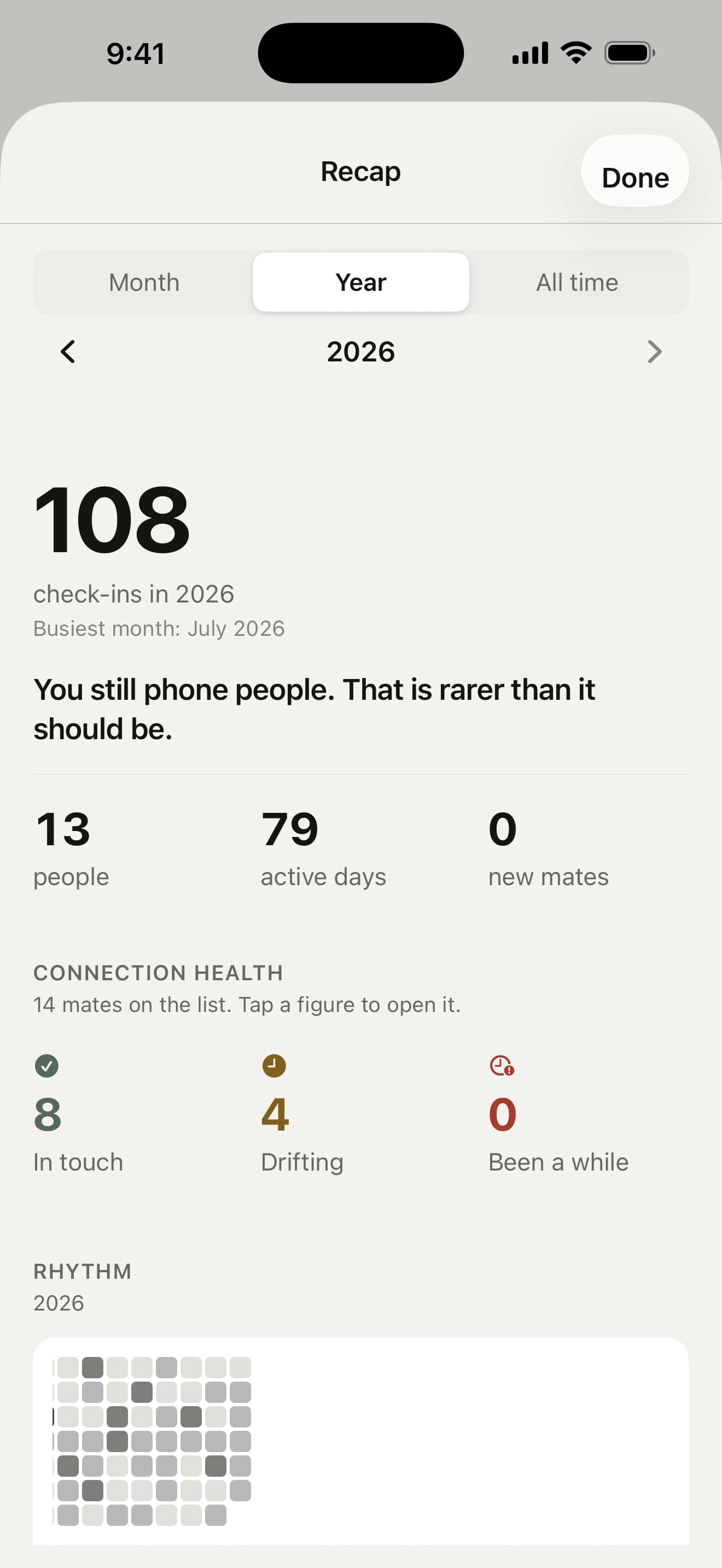
Recap your month, your year or all time: who you saw, about how many hours together, who’s gone quiet, and every December, your year in mates as a story you can share. On the 1st, a note sums up your month.
More on Recap →
A full dark mode that follows your iPhone — or pick Light or Dark in Settings. Same quiet ink, inverted.

Every control is labelled for VoiceOver and Voice Control, text scales past 200%, and Reduce Motion is respected.
Accessibility details →
Backed up to your own iCloud every day and offered back on a new iPhone. Export it as CSV or JSON whenever you like. It’s your data.
Private by design
Howdy Mate! is local-first: it works offline and keeps everything on your phone. The app sends anonymous crash reports and usage counts so it can be kept working — never your content.
Read the privacy policy →Your mates, check-ins, notes and photos are stored in a database on your phone, with a daily backup in your own iCloud. There is no server of ours holding them.
No sign-up, no password, no email address. Open the app and start adding people.
Restore it on a new iPhone from your iCloud, export everything as CSV or JSON, or reset it all from Settings.
Guides
How to stay in touch with friends when life is busy: pick your people, give each a rhythm, keep contact small and know what to say after a long gap.

We lined up seven apps to keep in touch with friends on iPhone and compared the price, free limit, where your data lives and who each one suits.

Why is it so hard to make friends as an adult? What adulthood quietly took away, where adults meet friends now and a 2-minute check of what’s missing.
Yes. Every feature is included and you can add as many mates as you like. There are no subscriptions, no in-app purchases and no ads.
You give each mate a rhythm, from every week to once a year or a custom schedule. Once that long has passed since your last catch-up, they move under “Needs you” on the Today screen and you get a gentle nudge. Until you log a first catch-up, the count starts from when you added them, or from your answer to “When did you two last catch up?” on their page.
No. Howdy Mate! is just for you, and the app never adds, notifies or messages anyone. Texts and postcards go from your own Messages or chat app, so your mates get an ordinary message or picture. If you’d like them to know they’re on your list, “Let them know” in a mate’s menu writes a warm hello with a link to the app. You press send yourself, and it counts as a catch-up.
On your iPhone, in the app’s own database. There is no account and no server holding your mates, check-ins, notes or photos. The app sends anonymous crash reports and usage counts so we can keep it working, never your content.
No. You get a gentle reminder when someone is due, and the wording is kind on purpose. Snooze anyone, take a break from every nudge until a day you choose, or keep nudges quiet at work with a Focus filter. Snooze someone three times in a row and it offers a slower rhythm. The app asks for a rating at most once every four months, never before your third check-in and never while you are logging.
Free on the App Store for iPhone. No account, no subscription, no catch.
On a computer? Point your iPhone’s camera here.