
Features
Everything it does.
Nothing it doesn’t.
A handful of things that help you keep up with the people you love, done properly. Pick one to see how it works.

The highlights
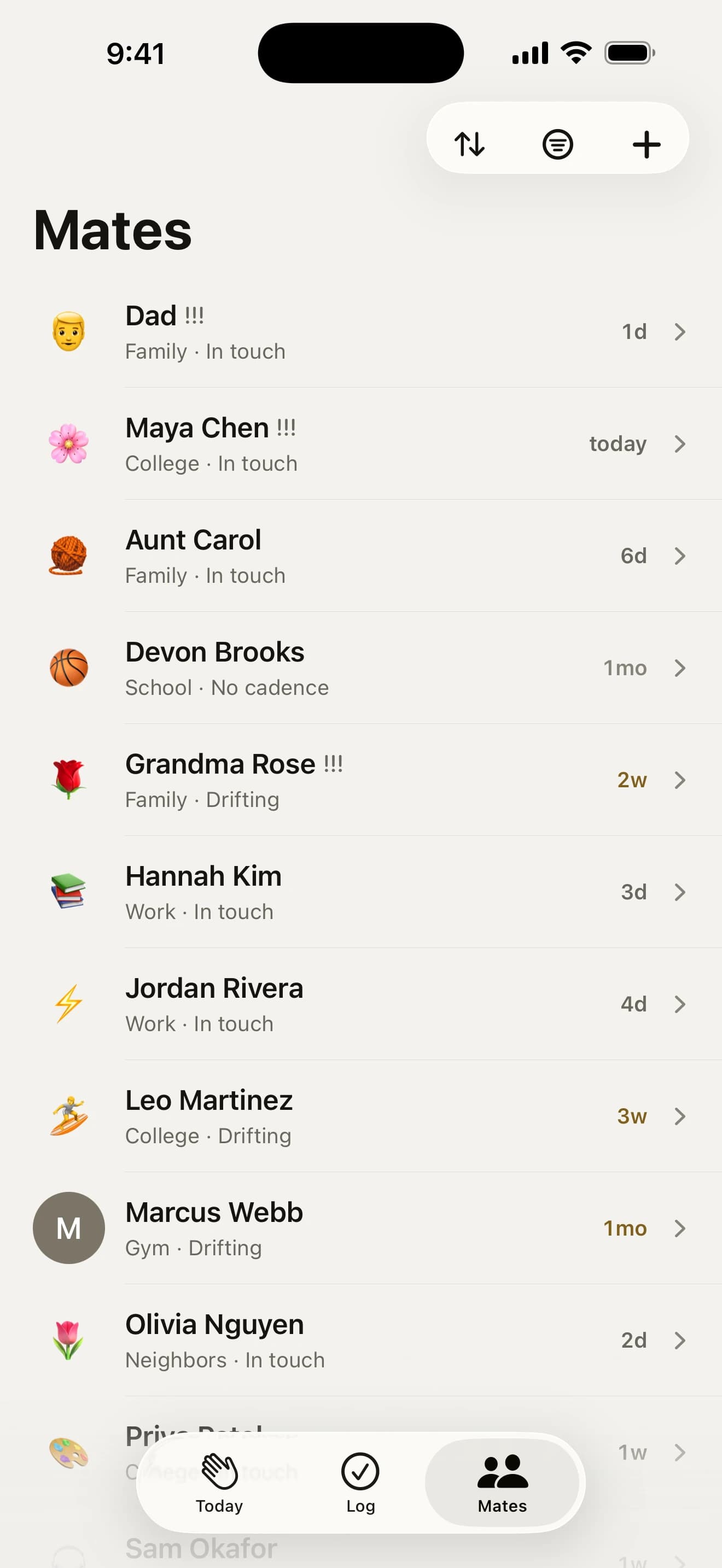
 Adding matesFrom Contacts, a pasted list or the person standing in front of you.From ContactsPaste a listJust met someone?
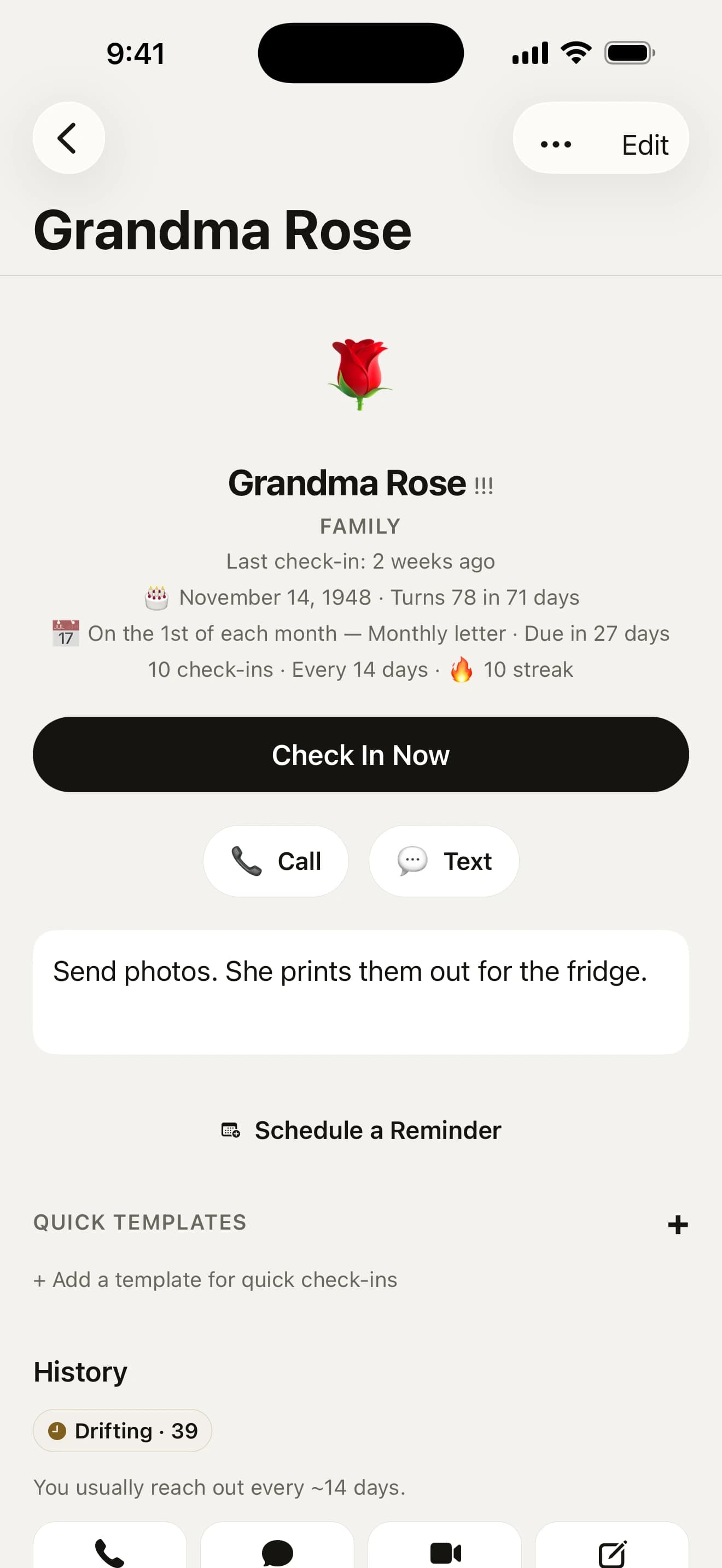
 RhythmsWeekly for Mum, every three months for the uni crew. You choose.Any scheduleRitualsNo surprises
 RemindersOne kind nudge when someone’s due, at a time that suits you.Kind wordsYour timingThree voices
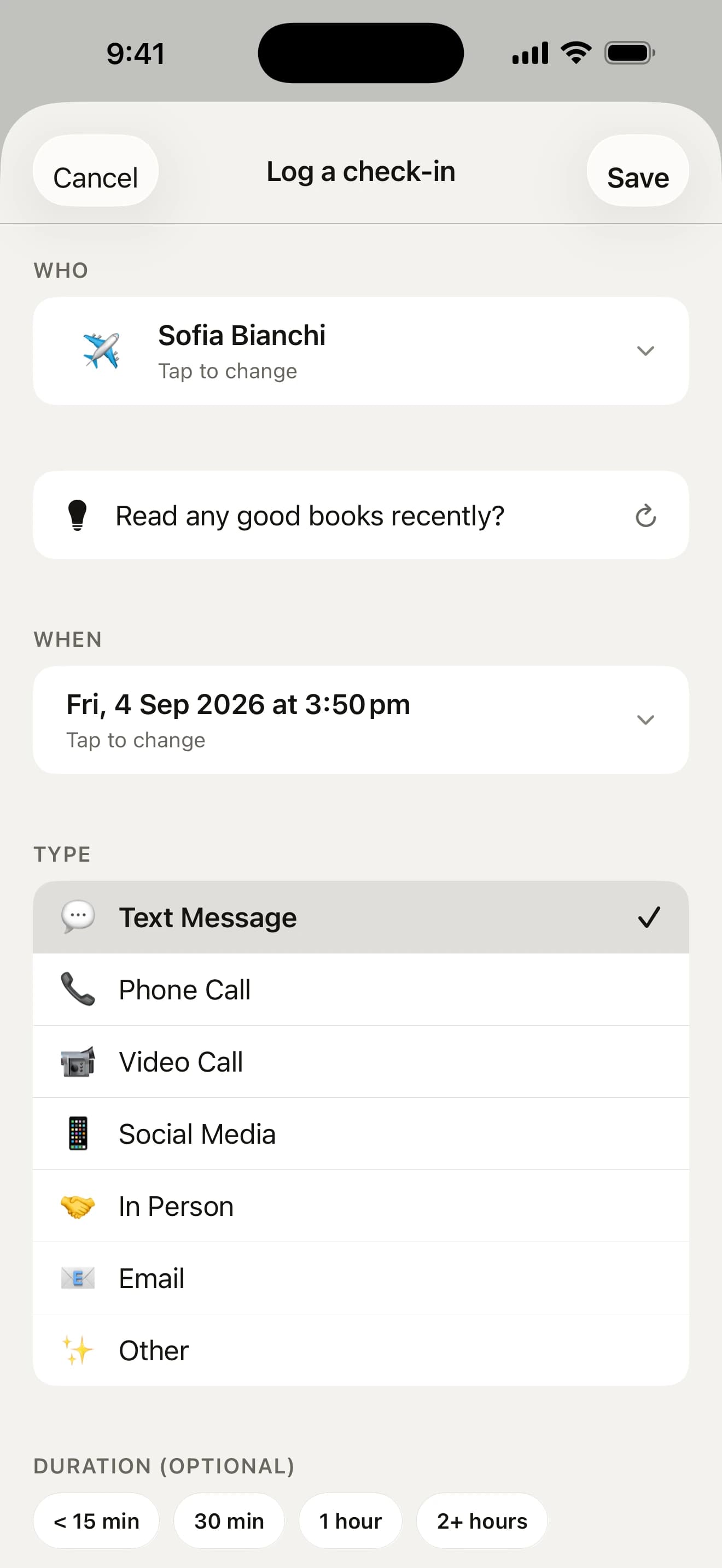
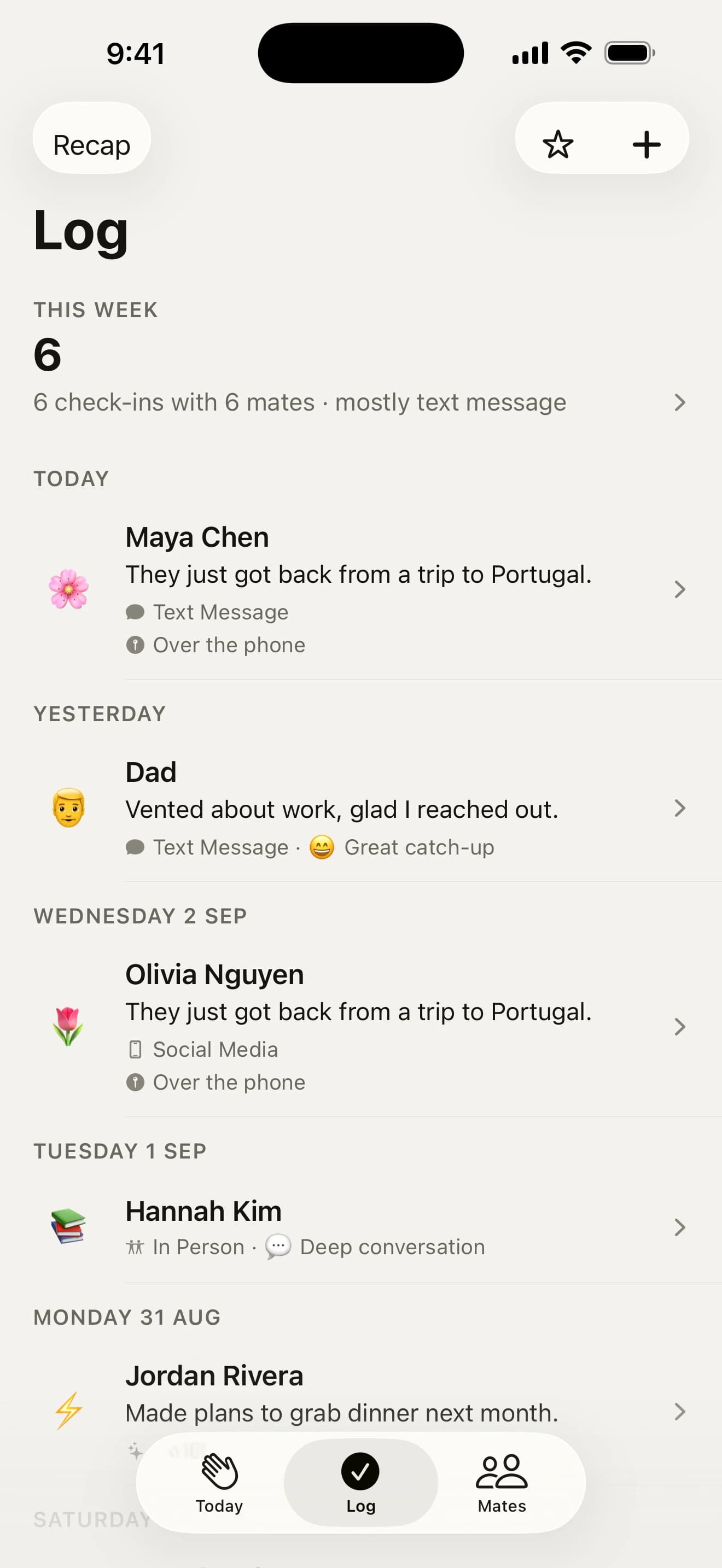
 Check-insTwo taps to log it, or say what happened and it fills itself in.Two taps, topsLogs itselfJust say it
 Reaching outA hello written for them, in the app they actually use.DraftAny chat appPostcards
 PlansSuggest a time, plan your week and see who to catch on a trip.Suggest a timePlan my weekWho’s up for it?
 Birthdays and datesA reminder the day before and on the day, with your text ready.Ask in a tapWrite it earlyGift ideas
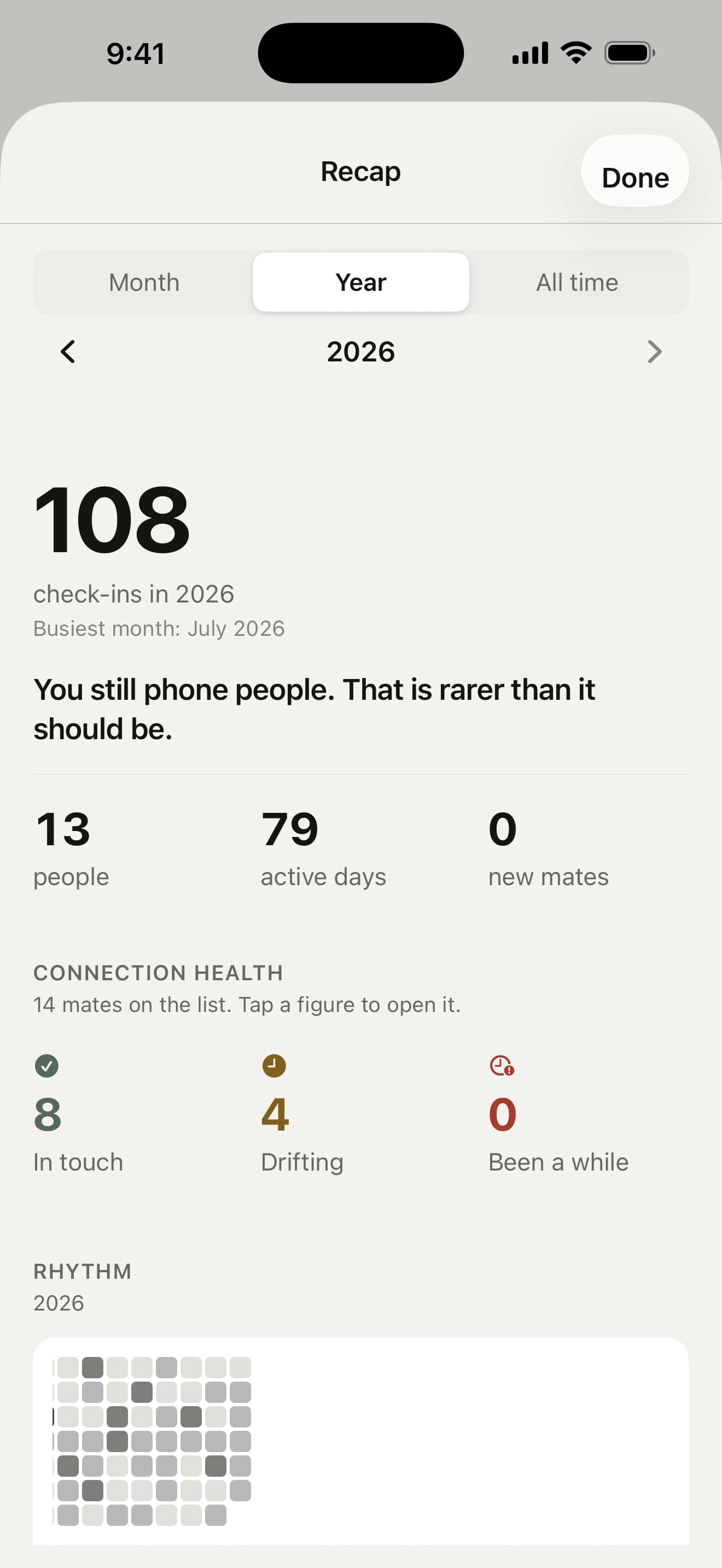
 RecapYour month, your year or all time, and a story every December.Month, year, all timeYour year in matesHow connected?
 Siri and widgetsAsk Siri, glance at a widget, log from the Lock Screen.SiriWidgetsControl Center
Take a closer look.
Real screens from the app. Tap around.
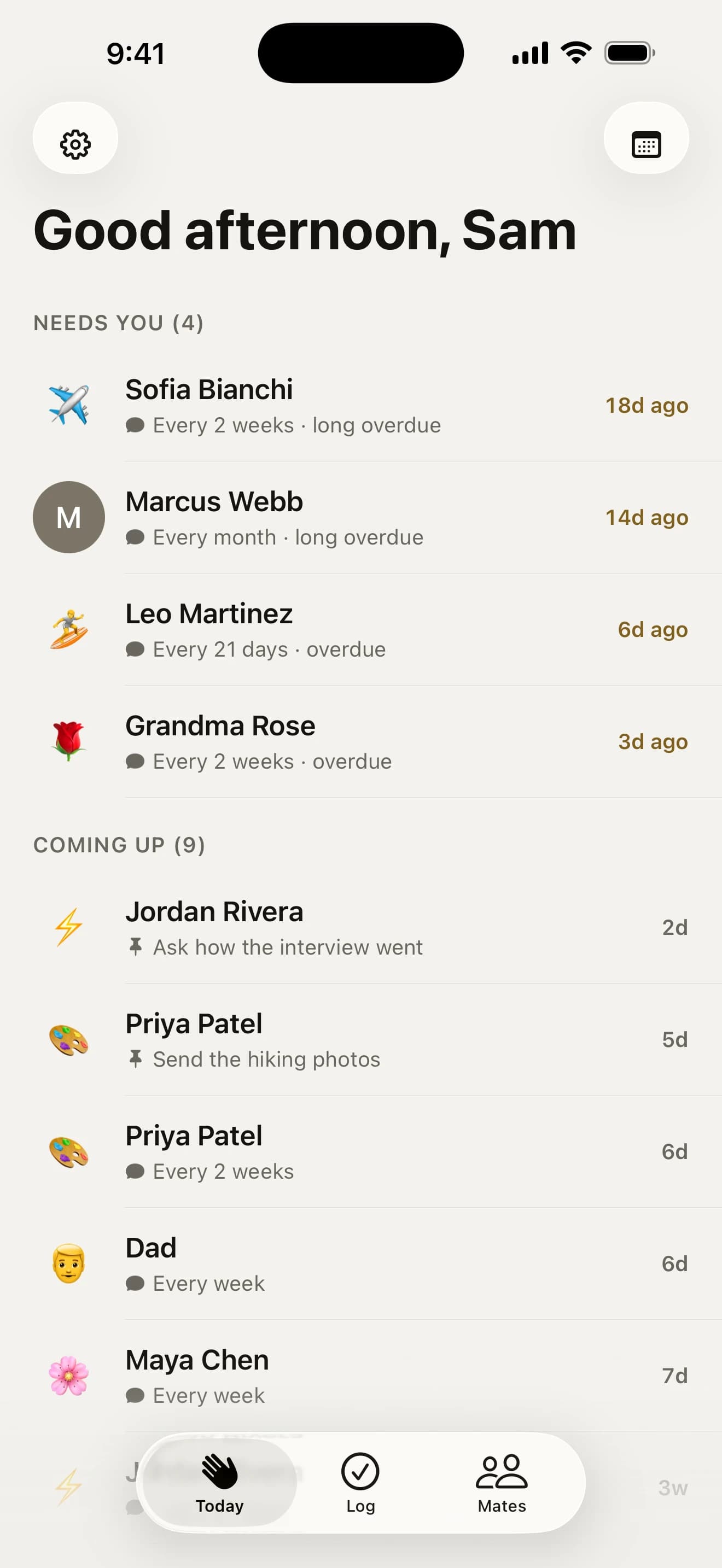
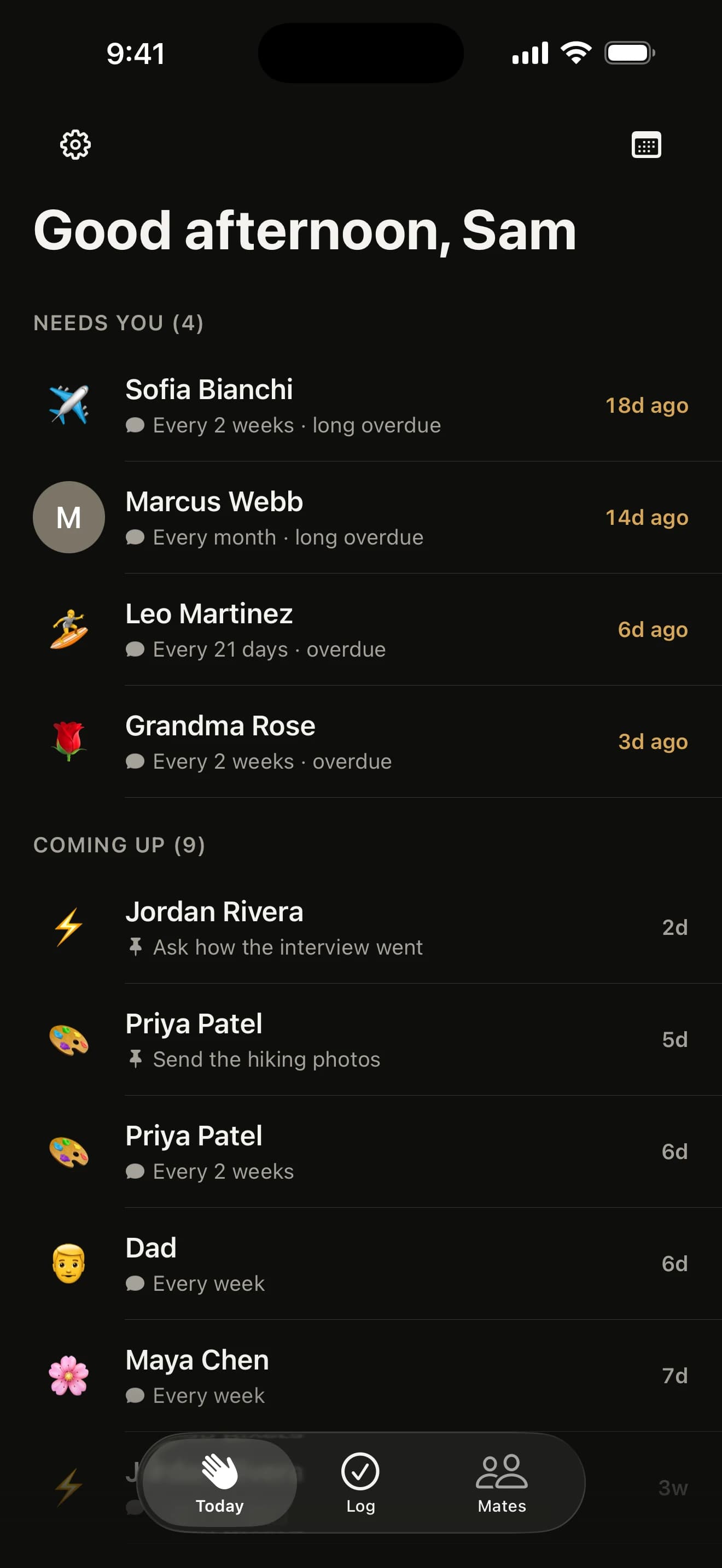
Who needs you, first thing
Everyone who’s due sits under “Needs you”, most-drifted first, with a line about last time and who’s coming up underneath. Swipe a row to log it, or press and hold to call, text, snooze or log on the spot.
Built into all of it

Private by design
No account, no server, no ads. It all lives on your iPhone, backed up to your own iCloud.
Privacy policy →
Made for everyone
VoiceOver, Voice Control, text past 200% and Reduce Motion, throughout.
Accessibility →
Seventeen languages
From French and Japanese to Hindi, following your iPhone’s language.

Free, properly
Every feature, unlimited mates. No subscription and no in-app purchases.
Wondering how it stacks up against a personal CRM or a spreadsheet?
See the honest comparisonGo on, say howdy.
Free on the App Store for iPhone. No account, no subscription, no catch.
On a computer? Point your iPhone’s camera here.