
See the shape of your year.
Recap turns your check-ins into your month, your year or all time: who you kept close, who’s gone quiet and roughly how many hours you spent together.

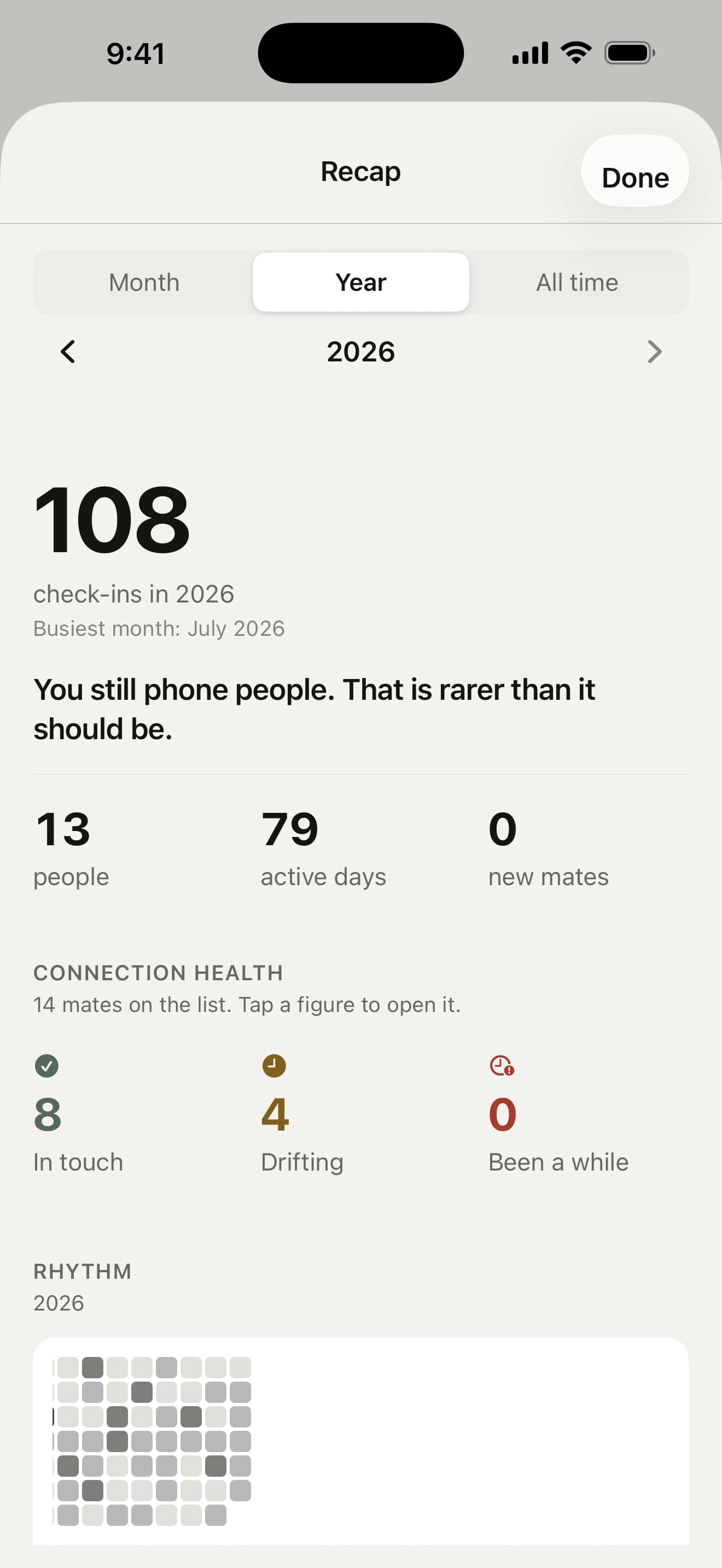
At a glance
- Month, year, all timeSwipe the big number to step through them.
- Your year in matesA December story you can tap through and share.
- How connected?One question a month, lined up against your catch-ups.
- Mates for the yearPick three to see more of, and keep the score.
What does Recap show?
- catch-ups, people, active days and your busiest month
- about how many hours you spent together
- the mates who’ve gone quiet and the ones you reconnected with
- how often mates reached out to you first
- how many of the mates you caught up with you saw in person
Tag how catch-ups went and it shows which kinds leave you feeling best. Until there are enough for figures, it simply lists the ones you’ve logged.
Your year in mates

Every December your year arrives as a short story you tap through: how many catch-ups, the mates you saw, the longest gap you closed, who you saw most and the mates to start with in January. Share it at the end, or play it again from Recap whenever you like.
A note on the 1st
On the 1st of each month, one notification sums up the month just gone (“6 check-ins with 4 mates”) and opens Recap on it, with one question under the total: how connected did you feel?
Recap lines your answers up beside your check-ins, and after a few months tells you how many catch-ups your best months had. Turn it off with Monthly recap in Settings.
Mates for the year

From Boxing Day to the end of January, Today asks who you want to see more of. Pick up to three mates and how many catch-ups that means, from 4, 6 or 12 to any number you like.
Their page keeps the score all year (“4 of 6 catch-ups this year”) and says whether you’re on track. Fall behind pace and you get one gentle nudge on the first of the month, never more.
Share it as a picture
Your questions, answered
Will the app tell me how my month went?
Yes. On the 1st of each month, one notification sums up the month just gone, like “6 check-ins with 4 mates”, and opens Recap on it with one question: how connected did you feel? Not very, somewhat or very. After three answers, Recap says how many catch-ups a month you logged when you felt most connected. The answer stays on your iPhone, and Monthly recap in Settings turns it off.
What is “Your year in mates”?
A December look back at your year, as a short story of cards: your catch-ups, the mates you saw, the longest gap you closed, who you saw most, your busiest month and who to start with in January. Once your year has five or more check-ins, a card on Today offers it from 1 to 25 December. Play it again any time from Recap’s year view.
Can I share my recap?
Yes, as a picture. Tap Share under the year’s card in Recap and the card goes to the share sheet as an image, sized for a story. A mate’s page has one too: tap Share recap at the foot of it for a card of the two of you. The picture is made on your iPhone, and nothing leaves your phone until you pick where to send it.
Can I set a goal for seeing someone this year?
Yes. From Boxing Day to the end of January, Today asks who you want to see more of in the year ahead. Pick up to three mates and how many catch-ups each one means (4, 6, 12 or your own number). Their page shows how far along you are, like “4 of 6 catch-ups this year”, and if someone falls behind pace you get a single nudge on the first of the month.



Go on, say howdy.
Free on the App Store for iPhone. No account, no subscription, no catch.
On a computer? Point your iPhone’s camera here.